Leaderboard
Popular Content
Showing content with the highest reputation since 04/19/24 in Posts
-

Team Fortress 2 Stock Weapon Pack
Jeo_Swift and 8 others reacted to Turbo Production for a topic
After many months of texturing, shading, modeling, re-texturing, tapering, sitting in the corner, I've recreated the TF2 stock weapons. Yes, every single one, even the gadgets (1), Most were easy, but some were just....making my brain hurt. There is one problem, some weapons are not the same size, so you'll have to manually correct them. RISTRICTIONS: No Retexturing Dont claim that it's yours Do not mess with the tapering parts --------------------------------------------------------------------------- Feel free to credit me, https://drive.google.com/file/d/1nC8bkQI9RG8RXyFc10bFnqtkJisAqLN-/view?usp=sharing9 points -
"...A photo with me and my brothers!..."
Jeo_Swift and 4 others reacted to FOXY TOONS for a topic
THE CAST Grit | Vox | Tao5 points -

Hilde | Counter:SIDE
Mr M3m3~Chan and 3 others reacted to THEMONSEA for a topic
4 points -

"Royalty" - Herobrine vs Entity 303 Minecraft Animation [PART 01]
SpideySpidery and 3 others reacted to Lzake for a topic
4 points -
Hey guys, I'm here to surprise everybody with the first ever mod for Mine-imator 2.0, which I call the... Continuation Build What this mod mostly does is fix a few issues that me and the other beta testers never caught during Mine-imator 2.0's development cycle. But do be on the lookout for a couple of kewl little features I slipped in ;). Please enjoy it! Download (Windows x64 .zip): https://www.mediafire.com/file/qkxgrve6cmuzrx8/Mine-imator_2.0.2_Continuation_Build_1.0.2.zip/file Please note that this mod has not been compiled or tested outside of Windows 64. The source code is available here in case any real modders wanna compile this for other systems (or build their own mods on top of this ). https://github.com/mbandersmc/Mine-imator-2.0.2-Continuation-Build Version 1.0.2 (Apr 25th, 2024), changes since Mine-imator 2.0.2: Features Added keybinds for Next and Previous frame (Shift + Right and Left arrow keys). Added "Direction" modifier for ground texture. Added the ? somewhere. Changes Updated Minecraft assets to 1.20.5. (Armadillos, Wolf Armor, Wolf variants, etc.) Moving the work camera no longer resets samples in the active camera. Block texture animation speed can now be negative. Increased maximum project tempo to 120 (up from 100). Removed Y rotation limits on "Rotate around camera" option. Updated F12 debug menu to better resemble that of Modelbench. Reorganized timeline Hierarchy menu. Slightly adjusted world importer interface. Added error message when attempting to export MP4s or MOVs with odd-numbered video sizes. Bugfixes Fixed path timelines not functioning as particle attractors. "Directional force" and "Vortex force" in particle editors are now functional. Fixed textures on inverted path meshes not appearing correctly. Fixed rendering issue with non-square translucent textures on .mimodels. Fixed being able to drag bloom Threshold above 100%. Fixed crash when importing decorated pots with no sherds. Fixed memory leak with empty lines in text objects. Fixed crash popup not showing full Mine-imator version name. Older changelogs:3 points
-
An unconventional breakfast...
Field Team and 2 others reacted to FOXY TOONS for a topic
...cookies don't have enough nutrients to sustain life on their own...3 points -

Wolfie's Arsenal - V 1.0 !!SWORDS!!
Aisu Uchibi and 2 others reacted to Team WolfieGames for a topic
Wolfie's Arsenal V 1.0 !!DOWNLOAD!! Map used in image is my map Islands of Aurelia. You can find it on Planet Minecraft or by clicking THIS. You want to feel the edge of a freshly sharpened sword? I don't recommend it, but you can sure look!! If y'all have any ideas or anything for this pack put it in the comments, and I'll see what I can do. Wolfie's Arsenal V 1.0: Katana Broadsword Thing?3 points -

[Mine-Imator] Foggy wallpaper
Mr M3m3~Chan and 2 others reacted to X-ZaneZ9-X for a topic
¯\_(ツ)_/¯3 points -
3 points
-
3 points
-

Coffee Coffee Cup
PearAnimations and 2 others reacted to DouBel_L for a topic
Even if your life is a mess, you have to keep going, don't you?3 points -

Sunny Day
FOXY TOONS and 2 others reacted to KenTracer for a topic
3 points -

Pink Trees (Random)
Fover and one other reacted to Ishaan Animationz for a topic
2 points -

How To (haphazardly) Mess Around with the Vertexes of the 3D mesh of a scenery model!
Pickyduck14 and one other reacted to manicminermemer for a topic
This image shows a thing that most Mine-imator animators will immediately notice you can't usually do in the program (that being what is apparently polygons in places they shouldn't be) but it's in-program. What is going on here? Mineimator 2.0 added .meshcache files, which you may have seen in your project folder after importing a scene. The .meshcache file format was created specifically to load scenery models faster, as mentioned by Nimi on the official discord, but he also notes it's actually just a 3D model format and not a construction of blocks. In this post, I am going to demonstrate that it is an actual 3D model file and you can poke it with a stick a bunch of times to create something as mangled as the first image in this post. First let's import a schematic file, such as the lamp post. You can also import scenery directly from a Minecraft world for this. Then it shows up in the scene. Now, to edit meshcache files, first we have to decompress them. Mineimator automatically compresses meshcache files, so to actually manually inspect or edit them you have to decompress the file using whatever file extractor tool you use, then swap the file inside the meshcache with the meshcache itself. (Deleting the inital schematic ("1") won't do anything. The project will still load properly because it only uses the meshcache... I'm not sure why imports the schematic as well. Once you decompress the meshcache, you won't need to recompress it again.) Next, let's open up the meshcache file using a hex editor. The one I use is HexEdit. Let's change this "A" to a "B". I don't know what I'm doing to the model, but surely nothing will go wrong, right? And, now, let's save the edit we made and reload the scene! Boom! One of the vertexes on the lamp post is now inside out and to the side. So what happened? Well, these meshcache files really are just 3D models of Minecraft assets, and the edit done was just moving one of the vertexes of that 3D model to the side. I presume those three columns of symbols correspond to the positions of each vertex in the model, but I wouldn't know about all of the other stuff at the bottom of the file. Someone who is more better versed in knowledge in 3D file formats than I am would probably be able to figure this out! You can actually continue to mess with the meshcache some more, and this will corrupt the the model of the lamppost even more. Don't try to erase or add more stuff though... it seems to just crash Mineimator instantly when I add or remove stuff. Q: Could this mean 3D models that I make in Blender or 3DS Max could be loaded in Mine-imator? A: Theoretically, yes! At the current moment there is no tool to convert 3D model files to the .meshcache format though. If a tool was made to do that, then it would be possible. I wouldn't know how easy it would be to do that though. I suppose you could import a Mine-Imator scenery model and attempt rearranging the vertices manually, but that'd take a lot of trial and error because I couldn't find any other documentation online about the meshcache format. It seems the meshcache format was made specifically for Mine-Imator. So someone would have to look into the source code to see how a meshcache is constructed too. (Note, I doubt you would be able to import textures with the model too, since scenery models only use Minecraft's block textures. But there might be work-arounds for this.)2 points -
2 points
-
The Kraken (Uh, no Don't) Boss from the OreSpawn Mod! Crazy Overpowered Squid Boss 1,000 HP 10 Defense 40 Attack Damage Download Link - https://www.mediafire.com/file/24givgnfgkge942/OreSpawn_Kraken.rar/file2 points
-

I'm in your head - Mr Virtual
Aisu Uchibi and one other reacted to Mr M3m3~Chan for a topic
"oh no... i'm dying" Mr Virtual a murderous man shot down by a detective at a Virtual Boy showcase, his soul now haunts the console and he attempts to torture his killer and some woman idk really know the lore of The Curse of The Crimson Phantom The model is based on his design from Mario's Madness obviously:2 points -
NAMIDAAME | ACHERON Honkai Star Rail
PearAnimations and one other reacted to THEMONSEA for a topic
2 points -
Yh I used a texture pack with the object material map1 point
-
enderMANS1 point
-
surface so realistic1 point
-

"...A photo with me and my brothers!..."
FOXY TOONS reacted to Fover for a topic
vox face reveal or oil up1 point -
Pokedance, Minecraft Animation
Fover reacted to FOXY TOONS for a topic
V i b r e n t ⊙_⊙1 point -
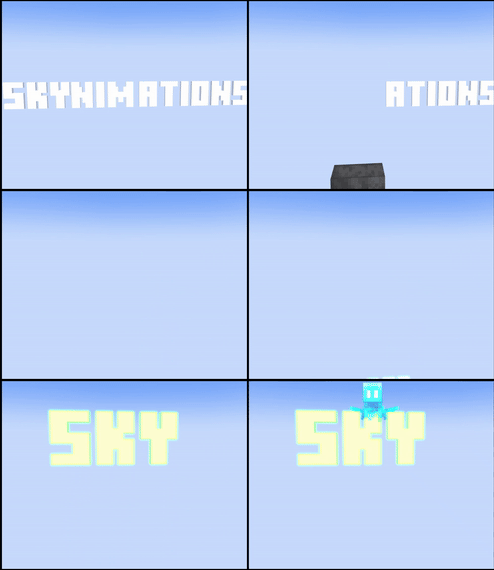
Dance Battle
紅羊qwq reacted to Pickyduck14 for a topic
Skynimations: Hey. This is our Base! Fover: Nope. Finders, keepers losers, weepers! Titanicminion: The Only person who's gonna be weeping is YOU. Ember: There's Only one way to settle this. Skynimations, A PVP? Ember: A Dance Battle. Titanicminion: We'll go first. Fover: Is that all you got? Ember: Woah. Titanicminion: Nope. Fover: Our turn. Skynimation: This is gonna be too easy. Titanicminion: oh no. I really don't know which was better, and I want to turn this into an animation and I only want the best dance. so please vote which dance was better.1 point -
Da Roach Rig - Wolfie8bit
Pickyduck14 reacted to Team WolfieGames for a topic
You ever want a little friend to scurry around your kitchen floors? --- DOWNLOAD --- With this rig I have created in Model Bench, you can now have a little turd scurrying and running from the sight of you. If you'd like to use this rig in any projects just credit me, Wolfie8bit.1 point -
FTP Facial Rig Test Renders - 02
Jeo_Swift reacted to FOXY TOONS for a topic
THE CAST Grit Mochizuki |1 point -
hellow привет lyoshamaysag@gmail.com1 point
-

Importing MP4s
SpideySpidery reacted to JSheerXeno54 for a topic
Will a feature to upload video files (mp4 and stuff) ever come to Mine-Imator? It's possible to upload Images and Sounds, But not videos. I don't wanna have to do the annoying "Gif" metheod which is a bear to set up. are there any plans to add this feature to Mine-imator? It should save on resources when making stuff like TVs or something like that.1 point -

park scene :D
Jeo_Swift reacted to TheGamesForReal for a topic
ft. @MysteriousTux1 point -

FNAF 3 Rig Download (don't click if hater)
Xavix Aaralyn Fulton reacted to DevhieDev for a topic
MAKE SURE YOU HAVE WINRAR IF YOU DON'T THEN CLICK THIS BELOW: WINRAR FNAF 3 Pictures: Here's more: PLEASE READ THIS BEFORE DOWNLOADING: Always give credit when using them in a video/picture/gif There is no moniter or camera , im sorry for that Customize the rig if you want but never claim it as YOU made it DOWNLOAD LINK: THANKS TO @Fox MinerFOR HELPING ME MAKE THIS RIG1 point -
Say hello to the brand new laptop for Minecraft The screen resolution is 1920x1080 and the aspect ratio is 16:9 More models coming soon Total Size of Files: 26,50KB ZIP Size/Download Size: 3,50KB Model Version: 2024.03.29 (YYYY.MM.DD)1 point
-

[WCM] WinnythailandFX's Character Model V2.2
SpideySpidery reacted to WinnythailandFX for a topic
Version 2.2 Download Other Version WinnythailandFX's Character Model V2.2 (Feb 27, 2024) WinnythailandFX's Character Model V2.1 (Dec 6, 2023) [Closed] WinnythailandFX's Character Model V2 (April 20, 2023) [Closed] WinnythailandFX's Character Model V1.2 (Dec 6, 2023) WinnythailandFX's Character Model V1.1 (Feb 3, 2023) [Broken] WinnythailandFX's Character Model V1 (Nov 12, 2022) [Broken] Announcement i have plan to add facial rig into my model in next update, which it will be released on next year (2024) + with also other feature i plan as well so join my discord server for up-coming update to my model > https://discord.gg/FfrFtbdm5b - Compatible Mine-imator Version: • Mine-imator 1.2.9 • Any Modded Mine-imator 1.2.9+ • Mine-imator 2.0 Pre-released 4 (Phase 1) • Mine-imator 2.0.2 • Any Modded Mine-imator 2.0.2+ - Description: a Cool Auto Extrude Character Model (whatever you called it) that can be made in under few min made by Orange Cat person, lol - Features: Fingers Blocky (Can be Toggle) Female Model (Include Model that Support 4px Classic Girl skin) Inverse Kinematics (Only for Mine-imator 2.0.0) Wrist & Ankle (Smooth bend) Can Toggle Jacket Layer - Questions Q: Can i modifying something into your Rig/Model? A: Sure, you can modifying something into my Rig/Model, if you want. so go ahead, [You]. go add something you want to add such as Hair, Facial Rig, whatever you want to add. longer as you don't claim my rig/model as yours Q: Why there is 4px Skin for Female A: Some people still used old classic Female 2012, so i decide to make one for people who still used 4px female skin, since no one making it (probably Due to alex model arm that look like more female i guess) - Update Patch Note 5 (Feb 27, 2024) Small update, just fixing misplace extrude edge. and this was supposed to be fixed on previous update but however i forgot to fix it. so opss my bad. and anyways seems discord did patch image host on DM Recently so guess i gonna find new site to host image for now, but at least download link still work it just image host was expried. lol (and also if you found any bug or mistake that i didn't aware please post on this or tag me on discord (any server i was in) so i can fix it in next update) Fix misplace exturde edge Preview Model (add later after version 3.0 drop)1 point -
I am returning to Mine-Imator
紅羊qwq reacted to Pickyduck14 for a topic
While I took a break from Mine-Imator, I was developing games on scratch. My scratch profile is here: https://scratch.mit.edu/users/Skynimations/ Animation This is the start of a new series, Sky Horizons where i go back to Mine-Imator and must complete 3 trials to come back officialy.1 point -
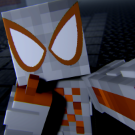
Spider-Man: No Way Home | Render
SpideySpidery reacted to KevinAnimatez for a topic
1 point -
Anthony's remade mobs!
SpideySpidery reacted to Anthony's Rigs for a topic
Hey it's me, Anthony! I've made another rig pack! I've tried to make some of the OG Minecraft mobs more detailed/good looking. Have a look! DOWNLOAD. Have fun!1 point -
Modelbench doesn't include any texturing tools, you have to create one in an external image editing program like Paint.NET or GIMP or Photoshop. What I'd consider to be best practice for texturing is as follows: Start by modeling your creature; Create a blank image with a resolution that's large enough to fit all the textures (usually 64x64 does the trick); Load that image as a texture in Modelbench and set it as the main texture by right-clicking it; Open the UV editor using the button in the upper-right corner, and start re-arranging all the UV maps so that everything is laid out nicely; Once done, right-click the texture again and press "Save UV map"; You'll get some kind of color-coded template you can now use as a base for the texture; When you're done texturing, import it again and you now have a textured model!1 point
-

Accurate PC Rig
Adampig476 reacted to a windows boi for a topic
monitor or other peripherals not included lmfao made by @creepycreeper103 and @CodyBI download link:1 point -
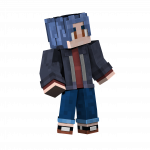
Sword Pack V2
SpideySpidery reacted to ziyadkhalq for a topic
Hi everyone, ZGaming here, and welcome to the second version of the sword pack, here is a video about all of the swords, i dont think that you gonna see them all, but......i hope you enjoyed Weapons added in the V2 Red katana blue katana link sword light sword Mossy sword Balmung Axe Chopping sabre Code knife Mini-throwing sword mediture sword Kisuku Hidden blade Orc blade Tomahawk Check the V1 version | | | \/ Sorry, no pictures today.....1 point -
Medieval Weapons Pack
SpideySpidery reacted to ImmersiveGaming for a topic
A new weapon's pack I created. It currently includes a broadsword, a battle axe, and a mace. There are two textures for them. One is without blood, and the other has blood. Both are included in the .mproj file. Not sure what is with the halo around the sword in the screenshots. It may be a texturing issue that I can try and fix later. This pack includes a broadsword, a battle axe, and a mace. The blades have the appearance of being sharp. I was going to make an animated presentation, but I have a paid design project I'm working on currently and simply don't have the time. Please credit me and link to this forum thread if you use these. It would be greatly appreciated. Comments and criticisms are welcome. I can add an update to this if I get enough interest and likes. An update might include: - Higher definition textures - More detail - More weapons - Armor - Any other suggestions I might get Enjoy! Download1 point -

Employee 10110 [Closed]
Pickyduck14 reacted to Mineupfast for a topic
(I mean it. That was really fun.)1 point -
(1).thumb.png.df1c07ae5d480447f5d09bc0852ad2b8.png)
last render
Pickyduck14 reacted to HeYoNia for a topic
What a degenerate, nobody liked you anyway-1 points -
last render
Pickyduck14 reacted to Draco63 for a topic
AUGH, my EYES!alkdvh ;akjhv THIS IS JUUST SOOOOO BAD!!! I HAET IT!!!!!!! UR BAD! GO AWAe! I HOPE U DY OF DETH!!!!!!!!!!!!!!!1!!!!!! also rain looks fake-1 points -
.thumb.png.27cd7ed4cc7ddd9abd226250d1279255.png)
last render
Pickyduck14 reacted to TwoToRule for a topic
bro use a face rig lol so bad-1 points -

Introduce yourself!
Red Creeper reacted to hasanmisbah79 for a topic
1111111111111111111111111111111111111111111111111111111111111111111111111111111111111111111111111111111111111111111111111111111111111111111111111111111111111111111111111111111111111111111111111111111111111111111111111111111111111111111111111111111111111111111111111111111111111111111111111111111111111111111111111111111111111111111111111111111111111111111111111111111111111111111111111111111111111111111111111111111111111111111111111111111111111111111111111111111111111111111111111111111111111111111111111111111111111111111111111111111111111111111111111111111111111111111111111111111111111111111111111111111111111111111111111111111111111111111111111111111111111111111111111111111111111111111111111111111111111111111111111111111111111111111111111111111111111111111111111111111111111111111111111111111111111111111111111111111111111111111111111111111111111111111111111111111111111111111111111111111111111111111111111111111111111111111111111111111111111111111111111111111111111111111111111111111111111111111111111111111111111111111111111111111111111111111111111111111111111111111111111111111111111111111111111111111111111111111111111111111111111111111111111111111111111111111111111111111111111111111111111111111111111111111111111111111111111111111111111111111111111111111111111111111111111111111111111111111111111111111111111111111111111111111111111111111111111111111111111111111111111111111111111111111111111111111111111111111111111111111111111111111111111111111111111111111111111111111111111111111111111111111111111111111111111111111111111111111111111111111111111111111111111111111111111111111111111111111111111111111111111111111111111111111111111111111111111111111111111111111111111111111111111111111111111111111111111111111111111111111111111111111111111111111111111111111111111111111111111111111111111111111111111111111111111111111111111111111111111111111111111111111111111111111111111111111111111111111111111111111111111111111111111111111111111111111111111111111111111111111111111111111111111111111111111111111111111111111111111111111111111111111111111111111111111111111111111111111111111111111111111111111111111111111111111111111111111111111111111111111111111111111111111111111111111111111111111111111111111111111111111111111111111111111111111111111111111111111111111111111111111111111111111111111111111111111111111111111111111111111111111111111111111111111111111111111111111111111111111111111111111111111111111111111111111111111111111111111111111111111111111111111111111111111111111111111111111111111111111111111111111111111111111111111111111111111111111111111111111111111111111111111111111111111111111111111111111111111111111111111111111111111111111111111111111111111111111111111111111111111111111111111111111111111111111111111111111111111111111111111111111111111111111111111111111111111111111111111111111111111111111111111111111111111111111111111111111111111111111111111111111111111111111111111111111111111111111111111111111111111111111111111111111111111111111111111111111111111111111111111111111111111111111111111111111111111111111111111111111111111111111111111111111111111111111111111111111111111111111111111111111111111111111111111111111111111111111111111111111111111111111111111111111111111111111111111111111111111111111111111111111111111111111111111111111111111111111111111111111111111111111111111111111111111111111111111111111111111111111111111111111111111111111111111111111111111111111111111111111111111111111111111111111111111111111111111111111111111111111111111111111111111111111111111111111111111111111111111111111111111111111111111111111111111111111111111111111111111111111111111111111111111111111111111111111111111111111111111111111111111111111111111111111111111111111111111111111111111111111111111111111111111111111111111111111111111111111111111111111111111111111111111111111111111111111111111111111111111111111111111111111111111111111111111111111111111111111111111111111111111111111111111111111111111111111111111111111111111111111111111111111111111111111111111111111111111111111111111111111111111111111111111111111111111111111111111111111111111111111111111111111111111111111111111111111111111111111111111111111111111111111111111111111111111111111111111111111111111111111111111111111111111111111111111111111111111111111111111111111111111111111111111111111111111111111111111111111111111111111111111111111111111111111111111111111111111111111111111111111111111111111111111111111111111111111111111111111111111111111111111111111111111111111111111111111111111111111111111111111111111111111111111111111111111111111111111111111111111111111111111111111111111111111111111111111111111111111111111111111111111111111111111111111111111111111111111111111111111111111111111111111111111111111111111111111111111111111111111111111111111111111111111111111111111111111111111111111111111111111111111111111111111111111111111111111111111111111111111111111111111111111111111111111111111111111111111111111111111111111111111111111111111111111111111111111111111111111111111111111111111111111111111111111111111111111111111111111111111111111111111111111111111111111111111111111111111111111111111111111111111111111111111111111111111111111111111111111111111111111111111111111111111111111111111111111111111111111111111111111111111111111111111111111111111111111111111111111111111111111111111111111111111111111111111111111111111111111111111111111111111111111111111111111111111111111111111111111111111111111111111111111111111111111111111111111111111111111111111111111111111111111111111111111111111111111111111111111111111111111111111111111111111111111111111111111111111111111111111111111111111111111111111111111111111111111111111111111111111111111111111111111111111111111111111111111111111111111111111111111111111111111111111111111111111111111111111111111111111111111111111111111111111111111111111111111111111111111111111111111111111111111111111111111111111111111111111111111111111111111111111111111111111111111111111111111111111111111111111111111111111111111111111111111111111111111111111111111111111111111111111111111111111111111111111111111111111111111111111111111111111111111111111111111111111111111111111111111111111111111111111111111111111111111111111111111111111111111111111111111111111111111111111111111111111111111111111111111111111111111111111111111111111111111111111111111111111111111111111111111111111111111111111111111111111111111111111111111111111111111111111111111111111111111111111111111111111111111111111111111111111111111111111111111111111111111111111111111111111111111111111111111111111111111111111111111111111111111111111111111111111111111111111111111111111111111111111111111111111111111111111111111111111111111111111111111111111111111111111111111111111111111111111111111111111111111111111111111111111111111111111111111111111111111111111111111111111111111111111111111111111111111111111111111111111111111111111111111111111111111111111111111111111111111111111111111111111111111111111111111111111111111111111111111111111111111111111111111111111111111111111111111111111111111111111111111111111111111111111111111111111111111111111111111111111111111111111111111111111111111111111111111111111111111111111111111111111111111111111111111111111111111111111111111111111111111111111111111111111111111111111111111111111111111111111111111111111111111111111111111111111111111111111111111111111111111111111111111111111111111111111111111111111111111111111111111111111111111111111111111111111111111111111111111111111111111111111111111111111111111111111111111111111111111111111111111111111111111111111111111111111111111111111111111111111111111111111111111111111111111111111111111111111111111111111111111111111111111111111111111111111111111111111111111111111111111111111111111111111111111111111111111111111111111111111111111111111111111111111111111111111111111111111111111111111111111111111111111111111111111111111111111111111111111111111111111111111111111111111111111111111111111111111111111111111111111111111111111111111111111111111111111111111111111111111111111111111111111111111111111111111111111111111111111111111111111111111111111111111111111111111111111111111111111111111111111111111111111111111111111111111111111111111111111111111111111111111111111111111111111111111111111111111111111111111111111111111111111111111111111111111111111111111111111111111111111111111111111111111111111111111111111111111111111111111111111111111111111111111111111111111111111111111111111111111111111111111111111111111111111111111111111111111111111111111111111111111111111111111111111111111111111111111111111111111111111111111111111111111111111111111111111111111111111111111111111111111111111111111111111-1 points