Search the Community
Showing results for tags 'Mine-imator'.
-
My keyboard literally broke on Mine-imator, it looks like it changed key input or something like that, but I think it's literally broke (like, I can't do ?), is there a way to change this to default key input from my PC or no?
-
 HI!!! So I'm a bit late in Posting this, but I've been Working on a 2D Animated Pilot for a few Months now. and I plan to Composite the Entire 2D Animation in Mine-Imator as a Test to see if Mine-Imator is Great for Compositing 2D Animation. The Answer? YES, it's really Good and Simple to Composite 2D Animation in Mine-Imator, I planned to Document the Process and Tips and Tricks I learn to Composite 2D animation in Mine-Imator after I'm done with this Project, so that for those who are interested in 2D Animation can do it too Compositing Example in Mine-Imator: Hope You enjoyed the Teaser Trailer and I hope You look Forward to the Official Trailer for this Animated Pilot Project
 -
 Welcome To My First Tutorial Post Fellow Mine Imatorers! (Animators i think i dont remember sorry) Today I Will be teaching you How to (without any hard-effort) Import Models From mods to Mine Imator! For this you need 3 Apps! (Maybe even 4) Model-Bench Block-Bench Mine Imator (yay) Winrar or any other zip app thingy 1. Download The mod you want to import stuff from. im gonna use MrCrayfish's Gun mod Click it if you wanna use Mrcrayfish's gun mod too It doesnt matter what version you use any version would work and also you dont need to install the dependencies. 2. Open the mod Oh you dont know how?? very easy my friend first Right click on the file next Click on Open With WINRAR and you did it! You Will find yourself somewhere like this, Here ill let the image wizard guide you from here: --><--- Now you got some stuff to stea- cough cough Borrow Basically we only need the Textures and Models for this one so copy them and put them in a folder Open Up The models folder it will look something like this Im gonna go into the Item folder and use this assault_rifle file for example Now here is kinda tricky if your toooo lazy Open up Blockbench and drag your file (mine is assault_rifle.json) inside of Blockbench now here its gonna be kinda luck based you will either encounter a error or Encounter this pretty model: Now dont worry i will help you fix this error: This may happen because the file has several variants in-game so it will use a main/Parent one for all of them but change some textures (i dont know why they do this its kinda stupid but i guess we could work with it) now what you gotta do is go to the path it gives you and retrive the actual model Note: The path it gives you starts at the parent folder (ex. models/special/guns/assault_rifle.json) models was the parent folder when you got the model it will look white like this Pretty easy to fix just find this and double click it The folder is what we need. we can see it says item so the parent folder is item so i cant upload any more pictures so here just click confirm then right click the picture you just double clicked on and then click on Change file then find the picture and click on ok now it has textures now do CNTRL + A and click on teh Create texture button (the upside down hill with a plus on the buttom) and check Box uv there will be some texture bugs so you gotta fix them then you need to install teh export to mine imator plugin (Files > Plugins > Search Mine-imator) and then do File > Export > Export mine-imator mimodel and thats it if you had problems send it here, and also its not the best way possible to do this but i guess it is atleast easy or maybe i made it look hard If this helped you Please Upvote! thanks!
 -
¯\_(ツ)_/¯
-
I'm really excited to announce that my 'DOORS Modelpack' is now available for everyone to download! Hope you's enjoy the new Modelpack! (You can also vote for the next Modelpack I should make in the Description of the video!) Link to the 'DOORS Modelpack' Download: https://h4ppip33p.carrd.co/#doors-modelpack Enjoy!
- 5 replies
-
- 8
-

-

-
- doors
- modelbench
- (and 1 more)
-
 So yesterday I made a model out of a random idea I had in my head and to be honest, it came out better than expected. Hopefully yous think the same as well as I'm really proud of it! I also made 2 renders of it as well, 1 of the renders can be used as a Mine-Imator Splash, so if you want to add it in, feel free to. -- F0rgxtten S0ul -- -- F0rgxtten S0ul W.I.P Screenshots -- ( Just incase yous want to see the progress of how I modelled it. ) And that's pretty much it! Tell me what you guys think of this model, I'm curious about your opinions on this fella.
- 8 replies
-
- 11
-
-
-

-
- mine-imator
- modelbench
- (and 2 more)
-
This is my Minecraft Animation Series called "The Stupid Thing". The story is... This series is about a stupid activities with 3 characters called TV Head, The Red Dude, and Leviathan (The White One). I already made 5 videos about "The Stupid Thing". I hope you guys enjoy it
-
I'm really excited to announce that my 'Improved FNAF Modelpack' is now available for everyone to download! Hope you's enjoy the new Modelpack! Link to the 'Improved FNAF Modelpack' Download: https://h4ppip33p.carrd.co/#improved-fnaf-modelpack Enjoy!
- 3 replies
-
- 9
-
-
-
-
- mine-imator
- modelbench
- (and 2 more)
-
-
Made in Mine-Imator
-
- 6
-
-
-
-
- hallowen
- mineimator
- (and 19 more)
-
 Mine-imator [All Versions - Updated] in Spanish Hello everyone , This is a translation I've been doing with my brother, made primarily for people who speak Spanish, like me There are all versions from 1.0.0 to last, 2.0.0. (With the exception of: "Before the 1.0.0 versions") This post will be updated as long as Mine-imator is updated or the translations have improvements. I'll let you know in a status update You can put suggestions and errors to make the translation BETTER. I hope the translation will be very helpful. -Mine-imator 2.0.0 PRE-RELEASE 4 (Current version) - Download -Mine-imator 2.0.0 PRE-RELEASE 3 - Download -Mine-imator 2.0.0 PRE-RELEASE 2 - Download -Mine-imator 2.0.0 PRE-RELEASE - Download -Mine-imator 1.2.9 - Download -Mine-imator 1.2.8 - Download -Mine-imator 1.2.7 - Download -Mine-imator 1.2.6 - Download -Mine-imator 1.2.5 - Download -Mine-imator 1.2.4 - Download -Mine-imator 1.2.3 - Download -Mine-imator 1.2.2 - Download -Mine-imator 1.2.1 - Download -Mine-imator 1.2.0 - Download -Mine-imator 1.2.0 PRE-RELEASE 3 - Download -Mine-imator 1.2.0 PRE-RELEASE 2 - Download -Mine-imator 1.2.0 PRE-RELEASE - Download -Mine-imator 1.1.4 - Download -Mine-imator 1.1.3 - Download -Mine-imator 1.1.2 - Download -Mine-imator 1.1.1 - Download -Mine-imator 1.1.0 - Download -Mine-imator 1.1.0 PRE-RELEASE 3 - Download -Mine-imator 1.1.0 PRE-RELEASE 2 - Download -Mine-imator 1.1.0 PRE-RELEASE - Download -Mine-imator Community Build 1.0.3 - Download -Mine-imator 1.0.6 - Download -Mine-imator 1.0.5 - Download -Mine-imator 1.0.4 - Download -Mine-imator 1.0.3 - Download -Mine-imator 1.0.2 - Download -Mine-imator 1.0.1 - Download -Mine-imator 1.0.0 - Download -Mine-imator 1.0.0 DEMO 5 - Download -Mine-imator 1.0.0 DEMO 4 - Download -Mine-imator 1.0.0 DEMO 3 - Download -Images (From Mine-imator 1.2.1) -Video (In Spanish, obviously)
- 6 replies
-
- 14
-
-
-
- traduccion
- translation
- (and 3 more)
-
Made in Mine-Imator 2.0
- 2 replies
-
- 8
-
-
-
- wallpaper
- diamondsword
- (and 14 more)
-
 Well. If u r not Chinese, u can leave this topic. 我是钻石块,很早以前我制作了一个Mine-imator(以下简称mi)的2.0pre5-正式版的汉化版本 顿时才发现这里有个关于本地化翻译的专栏可以投帖子( 所以... 我打算在这里分享我的汉化版本,当然,ModelBench CE的两个汉化版我待会会另起一个帖子发出来 字体已经为你换好,我也会一并将换好文件名的全套字重思源黑体的ttf文件以及语言文件放在仓库 接下来是下载链接,请仔细查看内置的帮助文档再使用 蓝奏云:https://wwkw.lanzouj.com/igwOa0s6cl7a GitHub:https://github.com/Steve41149/Mine-imator-2.0-Abnormal-Simplified-Chinese.git 由于本人是第一次使用GitHub,下载的位置是在release(发行版)中,还没熟练使用,非常抱歉
 -
-

mine-imator I made some wallpapers in Mine-Imator
Spaghetti_soup44 posted a topic in Wallpapers and art
- 6 replies
-
- 4
-
-
-
- 3d animation
- wallpaper
- (and 2 more)
-
- 2 replies
-
- 5
-
-
-
- mine-imator 2.0
- sky
- (and 9 more)
-
- 3 replies
-
- 7
-
-
-
-
- mine-imator
- birch trees
- (and 11 more)
-
Made with Mine-Imator 2.0.0
-
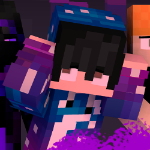 Hi! I'm new here at the forum and, for now, I would be happy if you guys could check out my new short film "Animalia: Attack Attempt" made by me using Mine-Imator <3. It has English captions. Synopsis: In a world where there was a civilization called "Civilização de Gandalf", Pingo, the primer-minister, needed to face constantly a rebel group which threatened the integrity of his civilization. Little did he know, what was waiting for him.
- 18 replies
-
- 7
-
-
-
- animation minecraft
- minecraft animation
- (and 6 more)
-
Software used: Mine-Imator 2.0 Paint.net (for rim light)
-
Hello everyone, as we near 2.0's full release I thought I'd release a cancelled update to the Mine-imator Community Build. (Based on Mine-imator 1.0.6, MICB 1.0.2.) This was cancelled for various reasons including crazy instability, overly ambitious, and with me switching priorities to creating Modelbench. I don't recommend using this for actual projects due to its many bugs, as I'm only releasing this for archival purposes. Most features and changes added in Mine-imator 1.2 -> 2.0 can be traced back to this project (New interface, materials, glow, etc.) and I didn't want to leave Mine-imator development until I was able to officially add back these features. (Nor did I want to cause fighting over if the mod or vanilla was better due to lacking these features.) I don't have an official changelog cause I never made one while developing this mod. Enjoy messing with this update that led to 2.0 being what it is. Between sessions you'll need to delete "settings.file" in the Data folder or else the program will crash on startup. (Also, don't report any bugs you find.) Download 1.1.0 (Jan 17th, 2017)
- 3 replies
-
- 15
-

-
-
- mod
- mine-imator
- (and 1 more)
-
saul goodman wtf?!?
-
- 28
-
-
-
-

-
- mine-imator
- movie
- (and 3 more)
-
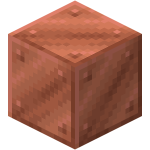 When applying blend color to a model to Mine-Imator, Parts and shapes with inherit parent color option off in Modelbench inherit the model's blend color, which isn't supposed to happen. It works fine in Modelbench , this only happens in Mine-Imator. However, you can fix it by manually checking inherit color of the part off in Mine-Imator.
 -
Lighting by: @WinnythailandFX
- 1 reply
-
- 5
-
-
-
- ddlc
- mine-imator
- (and 3 more)
-
So say you have a cube, and you make it's Y go up by 50 on frame 30 of 60. and on frame 0 (beginning) you have the cube's Y set to 0. Normally the cube would just go up till it hits the 30 frame mark... But... If you turn on the Loop Selected Frames option, it would be like there's a keyframe at frame 60 of our example. And it will give the cube a animation even though there's no keyframe there... I attached a project file to this post that recreates the bug. I would suggest (if you do download the file) to try it once with the Loop Selected Frames off, then turn it on... I hope the bug gets patched in the next pre-release version, cuz' I thought the feature was quite useful. https://www.mediafire.com/file/sfi2sy95wwxco5x/Testing+MI+Bug.zip/file Here's the project ^^^